- In the sidebar, choose New post.
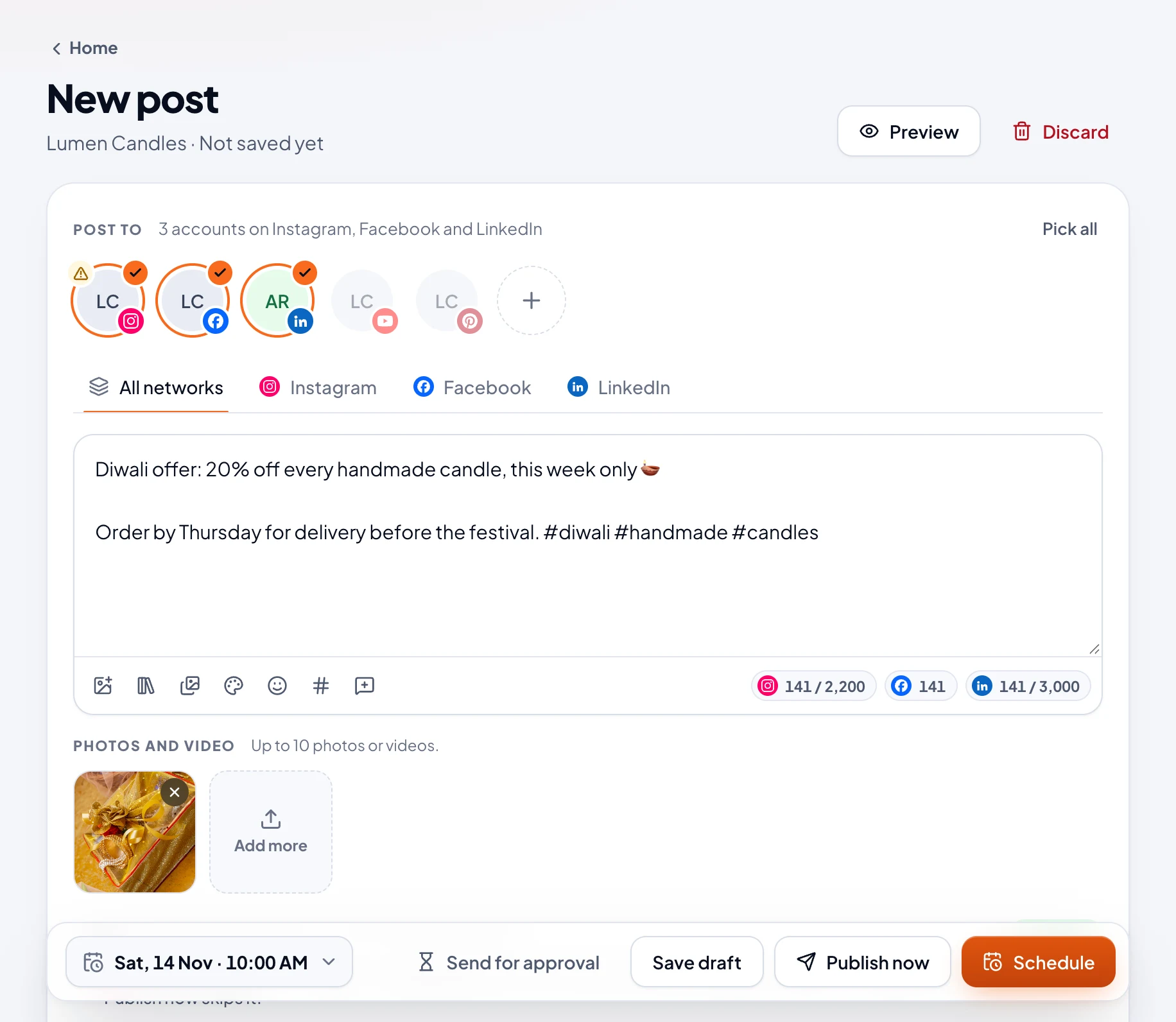
- Under Post to, pick the accounts it goes to, or choose Pick all. An account with a warning sign is signed out: reconnect it before the post is due.
- Write in the All networks tab. Each network you picked gets its own tab too: type there to give that network its own version. Use the shared text puts it back.
- Add photos or a video. Photos and videos.
- Fix anything under Checks, then schedule it, publish it or save it as a draft. Schedule or publish a post.
How long it can be
The counter under the text shows how much of each network's limit you've used.
| Network | Text | Also |
|---|---|---|
| 2,200 characters | Up to 5 hashtags and 20 @mentions | |
| 63,206 characters | ||
| 3,000 characters | ||
| YouTube | 5,000 characters of description | Letters in Hindi, Telugu and similar scripts count as 3 |
| 800 characters of description |
Checks
Checks compares the post with each network's rules as you write. Anything under Must fix stops it going out, such as text that's too long or a photo on YouTube. Warnings don't: they tell you, for example, that a photo has no description for people who can't see it.
Preview
Preview shows the post as each network will, on a phone or a computer, cut where the network adds more. The network decides the final look.
Drafts
Save draft keeps it without a time. Drafts are on Home and in the Drafts tab of Posts. New post doesn't save as you type: if you leave without saving, it asks first.