Calendar
It shows a Week, a Month or a List. To see only some accounts, choose them under Show posts for.
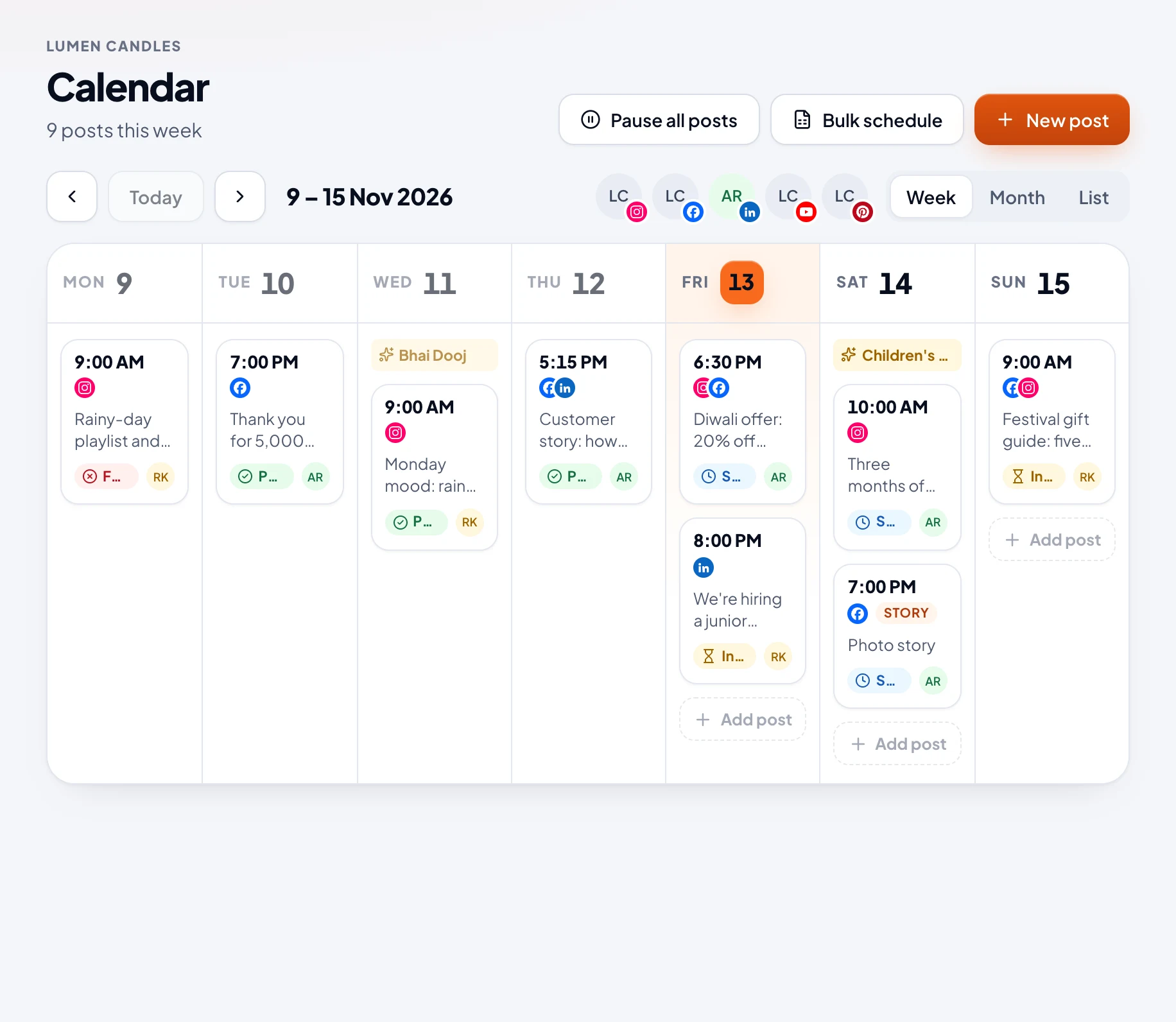
- Move a post: drag it to another day. It keeps its time. Or open it and choose Move… to pick a new time.
- Open a post: choose it to see its details, then Edit, Delete or Post now.
- Copy a post: choose Make a copy. New post opens with the same words and photos: pick a time, and schedule it.
Posts
Every post in a list, with tabs: All, Coming up, Published, Didn't go out and Drafts. Find one with Search posts. The ••• menu on a post edits, copies, moves or deletes it. A published post has a Numbers link.
What each status means
| Status | Means |
|---|---|
| Draft | Still being written. It won't go out. |
| In review | Waiting for an Owner or Admin to approve it. |
| Changes requested | Sent back with notes, for its writer to change. |
| Approved | Approved, but it needs a new time. |
| Scheduled | It goes out by itself at its time. |
| Publishing | Going to the networks now. |
| Published | Out on the networks. |
| Failed | It didn't go out. The post says why. |
| Paused | Held back until posting resumes. |
Owners and Admins can change any post until it goes out. Members can change their own while they're in review, sent back or failed, or at any time with Approvals off.