A workspace holds one business's connected accounts, posts and team. You named yours when you signed up.
Change its settings
Owners and Admins can change a workspace's settings. Members see them, but can't change them.
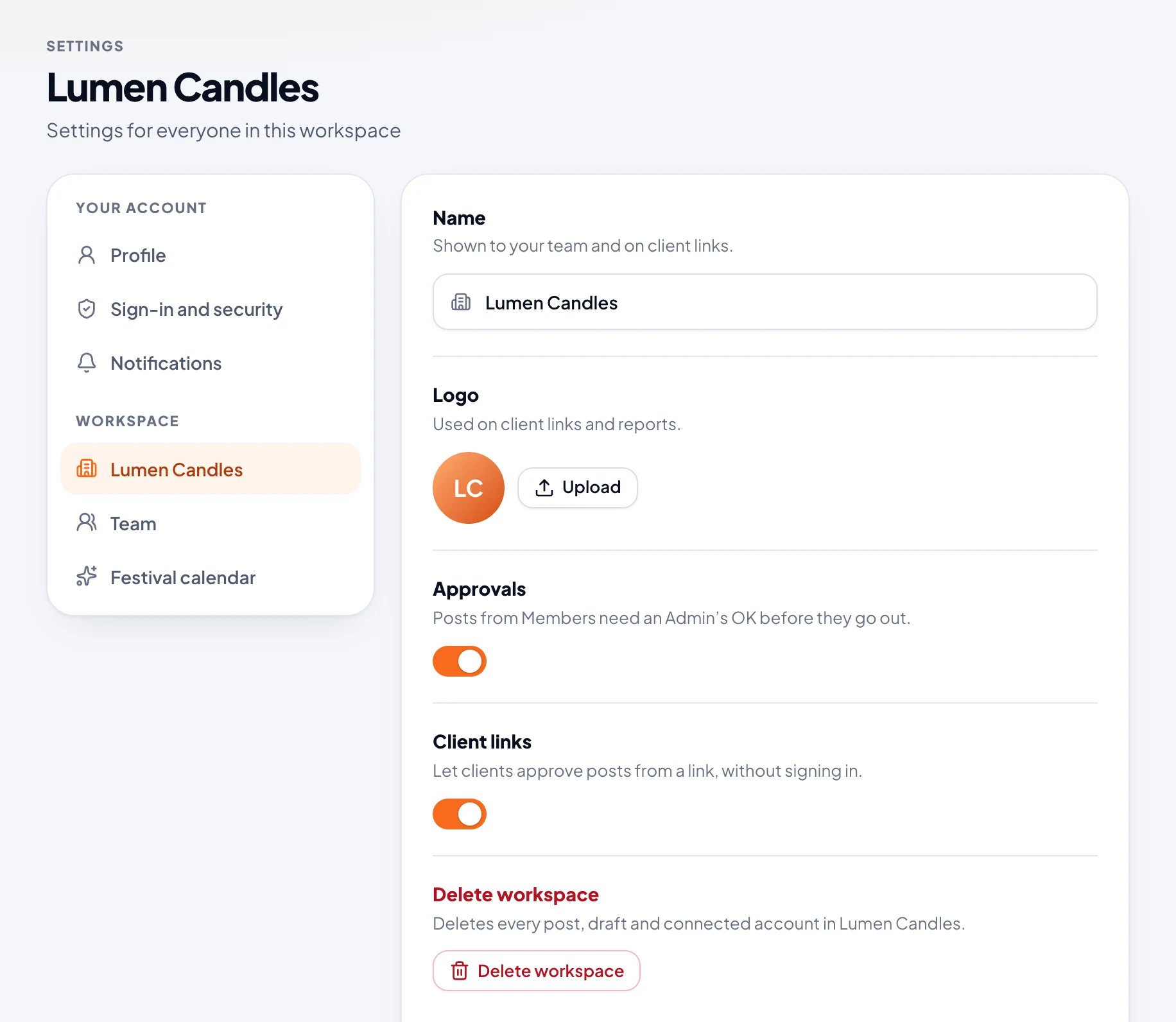
- In the sidebar, open Settings. Your workspace's settings open first.
- Change what you need:
- Name: shown to your team and on client links.
- Logo: shown on client links and reports. It's saved as soon as you upload it.
- Approvals: posts from Members need an Owner or Admin's OK before they go out. It's on to start with.
- Client links: clients approve posts from a link, without signing in. It's on to start with.
- Choose Save changes.
Your time zone
Everyone has their own time zone, and sees every time in it. To set yours, open your name at the top right, then Profile, and pick it under Time zone. Posts already scheduled still go out at the same moment.
Switch between workspaces
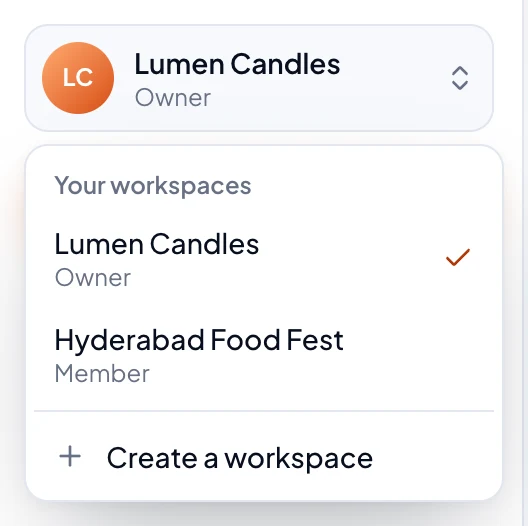
When someone invites you to their workspace, you're in more than one. Switch between them from the menu at the top of the sidebar. You can have a different role in each.
Delete a workspace
Only the Owner can delete a workspace, at the bottom of its settings, by typing its name to confirm. That deletes every post, draft and connected account in it, for everyone. You can't delete your only workspace.